Our rating
|

User rating |
 (1) (1)
Popularity |
Windows 7/8/10/11 |
 February 10, 2026 February 10, 2026  187 views, 100 DLs, 187 views, 100 DLs,  0 0 |
|
Java Portable 8u411 ...
|
|


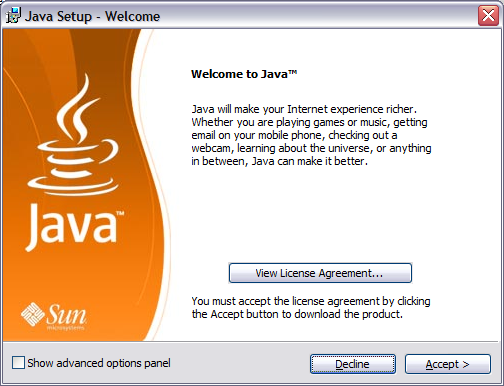
Runtime Environment (JRE) contains everything your PC needs in order to run applications or load applets in your browser. It is the foundation for Web and networked services, applications, platform-independent desktops, robotics, and other embedded devices. From laptops to datacenters, game consoles to scientific supercomputers, cell phones to the Internet, is everywhere! The package includes only the Sun SE Runtime Environment and is a stand alone, offline installation. You can download the file to install at a later date or use it to reinstall SE Runtime on a fresh version of Windows 64-bit or 32-bit.
jPortable (portable )
It helps you run programs smoothly on any computer without the fuss. Think of it as a portable, easy-to-use solution for applications. No need for runtime on the local machine, and no admin rights necessary. Run JARs seamlessly through the jPortable Launcher.
jPortable Launcher
jPortable Launcher is a handy tool for running programs on any computer. It makes using apps easy by creating a portable environment. No need for complicated setups—just plug and play. It's like having your own pocket-sized , making it simple to run programs wherever you go.
Run jar file without : jPortable Launcher Guide
1. Download and install jPortable on your computer.
2. Download jPortable Launcher from the provided link below.
3. Save your JAR file to a convenient location.
4. Run jPortable Launcher and configure the path in the "Options" menu.
5. Browse for your JAR file within the launcher.
6. Open the JAR file to run applications without local installation.
|
Last updated:
February 10, 2026 System requirements:
Windows 7/8/10/11 Changelog:
No change log ...Verified:
 No Virus No Virus
No Spyware No Bundle No Adware
|
----------------------------------------------------------------------------------------------
----------------------------------------------------------------------------------------------
 Comments 0 Comments 0
There are no comments ......
 Note: Note:
Guests comments are allowed ...
|
|
|
|
|
|
|
|
|