|
|
 |
| |
DOWNLOADS: 39
Your downloads should start automatically
If it does not, click restart.
|
|
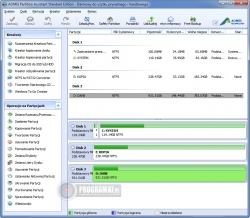
| <p style="box-sizing: border-box; margin-bottom: 10px;"><span style="box-sizing: border-box; margin-bottom: 10px;"><b style="box-sizing: border-box; margin-bottom: 10px;">AOMEI Partition Assistant-Standard</b></span> is a FREE ;;<span style="box-sizing: border-box; margin-bottom: 10px;">disk partition management software</span> ;;that has earned a good reputation among worldwide users. It comes with so many powerful features that you can completely control your hard disk and partition. For example, "Extend Partition Wizard" enables you to increase partition size to completely solve the low disk space problem, or you can flexibly manage disk space with "Resize Partition", "Merge Partitions", "Spilt Partition" and "Copy Partition".<br style="box-sizing: border-box; margin-bottom: 10px;"><br style="box-sizing: border-box; margin-bottom: 10px;"><font color="#505a67" face="Raleway, Arial, Helvetica, sans-serif" style="box-sizing: border-box; margin-bottom: 10px;"><span style="box-sizing: border-box; margin-bottom: 10px;">AOMEI Partition Assistant</span></font> ;;embeds sector-level ;;<span style="box-sizing: border-box; margin-bottom: 10px;">data protection technology</span>. Strictly tested by the R &;; D team, it enables you to realize more safely partitioning operations as you expected. No matter whether your disk style is MBR or GPT and no matter whether your disk is small or larger than 2TB, this product is able to help you solve various problems of your disk partition. Support Windows 10, Windows 8, Windows 7, Vista, XP, and 2000 and FREE to use for home and commercial users.<br style="box-sizing: border-box; margin-bottom: 10px;"><b style="box-sizing: border-box; margin-bottom: 10px;"><br style="box-sizing: border-box; margin-bottom: 10px;"><span style="box-sizing: border-box; margin-bottom: 10px;">Features and Highlights</span></b><br style="box-sizing: border-box; margin-bottom: 10px;"></p><p style="margin-bottom: 0px; padding: 0px; line-height: 24px;"></p><ul style="margin: 10px 0px 20px; padding: 0px; list-style-type: none;"><li style="margin: 0px; padding: 0px 0px 0px 40px; line-height: 24px; background-image: url(" ;https:="" static.filehorse.com="" img="" sb.png";);="" background-position:="" 26px="" 7px;="" background-size:="" initial;="" background-repeat:="" no-repeat;="" background-attachment:="" background-origin:="" background-clip:="" initial;"="">Resize/Move Partition- Change partition size without losing data.</li><li style="margin: 0px; padding: 0px 0px 0px 40px; line-height: 24px; background-image: url(" ;https:="" static.filehorse.com="" img="" sb.png";);="" background-position:="" 26px="" 7px;="" background-size:="" initial;="" background-repeat:="" no-repeat;="" background-attachment:="" background-origin:="" background-clip:="" initial;"="">Extend Partition Wizard- Extend NTFS partition without restarting the computer.</li><li style="margin: 0px; padding: 0px 0px 0px 40px; line-height: 24px; background-image: url(" ;https:="" static.filehorse.com="" img="" sb.png";);="" background-position:="" 26px="" 7px;="" background-size:="" initial;="" background-repeat:="" no-repeat;="" background-attachment:="" background-origin:="" background-clip:="" initial;"="">Allocate Free Space- Reallocate free space from one partition to another.</li><li style="margin: 0px; padding: 0px 0px 0px 40px; line-height: 24px; background-image: url(" ;https:="" static.filehorse.com="" img="" sb.png";);="" background-position:="" 26px="" 7px;="" background-size:="" initial;="" background-repeat:="" no-repeat;="" background-attachment:="" background-origin:="" background-clip:="" initial;"="">Merge Partitions- Merge two adjacent partitions to one.</li><li style="margin: 0px; padding: 0px 0px 0px 40px; line-height: 24px; background-image: url(" ;https:="" static.filehorse.com="" img="" sb.png";);="" background-position:="" 26px="" 7px;="" background-size:="" initial;="" background-repeat:="" no-repeat;="" background-attachment:="" background-origin:="" background-clip:="" initial;"="">Split Partition- Split a big partition into two small ones.</li><li style="margin: 0px; padding: 0px 0px 0px 40px; line-height: 24px; background-image: url(" ;https:="" static.filehorse.com="" img="" sb.png";);="" background-position:="" 26px="" 7px;="" background-size:="" initial;="" background-repeat:="" no-repeat;="" background-attachment:="" background-origin:="" background-clip:="" initial;"="">Create Partition- Make a new partition to store various data.</li><li style="margin: 0px; padding: 0px 0px 0px 40px; line-height: 24px; background-image: url(" ;https:="" static.filehorse.com="" img="" sb.png";);="" background-position:="" 26px="" 7px;="" background-size:="" initial;="" background-repeat:="" no-repeat;="" background-attachment:="" background-origin:="" background-clip:="" initial;"="">Delete Partition- Delete unnecessary and useless partition.</li><li style="margin: 0px; padding: 0px 0px 0px 40px; line-height: 24px; background-image: url(" ;https:="" static.filehorse.com="" img="" sb.png";);="" background-position:="" 26px="" 7px;="" background-size:="" initial;="" background-repeat:="" no-repeat;="" background-attachment:="" background-origin:="" background-clip:="" initial;"="">Format Partition- Empty all data on a partition.</li><li style="margin: 0px; padding: 0px 0px 0px 40px; line-height: 24px; background-image: url(" ;https:="" static.filehorse.com="" img="" sb.png";);="" background-position:="" 26px="" 7px;="" background-size:="" initial;="" background-repeat:="" no-repeat;="" background-attachment:="" background-origin:="" background-clip:="" initial;"="">System Migration- Migrate system to a solid-state drive (OS to SSD).</li><li style="margin: 0px; padding: 0px 0px 0px 40px; line-height: 24px; background-image: url(" ;https:="" static.filehorse.com="" img="" sb.png";);="" background-position:="" 26px="" 7px;="" background-size:="" initial;="" background-repeat:="" no-repeat;="" background-attachment:="" background-origin:="" background-clip:="" initial;"="">Copy Disk- Clone a disk from one to another.</li><li style="margin: 0px; padding: 0px 0px 0px 40px; line-height: 24px; background-image: url(" ;https:="" static.filehorse.com="" img="" sb.png";);="" background-position:="" 26px="" 7px;="" background-size:="" initial;="" background-repeat:="" no-repeat;="" background-attachment:="" background-origin:="" background-clip:="" initial;"="">Copy Partition- Clone a partition to other locations.</li><li style="margin: 0px; padding: 0px 0px 0px 40px; line-height: 24px; background-image: url(" ;https:="" static.filehorse.com="" img="" sb.png";);="" background-position:="" 26px="" 7px;="" background-size:="" initial;="" background-repeat:="" no-repeat;="" background-attachment:="" background-origin:="" background-clip:="" initial;"="">Dynamic to Basic Disk Conversion- Convert dynamic disk to basic without losing data.</li><li style="margin: 0px; padding: 0px 0px 0px 40px; line-height: 24px; background-image: url(" ;https:="" static.filehorse.com="" img="" sb.png";);="" background-position:="" 26px="" 7px;="" background-size:="" initial;="" background-repeat:="" no-repeat;="" background-attachment:="" background-origin:="" background-clip:="" initial;"="">MBR and GPT Conversion- Convert between MBR disk and GPT disk without loss of data.</li><li style="margin: 0px; padding: 0px 0px 0px 40px; line-height: 24px; background-image: url(" ;https:="" static.filehorse.com="" img="" sb.png";);="" background-position:="" 26px="" 7px;="" background-size:="" initial;="" background-repeat:="" no-repeat;="" background-attachment:="" background-origin:="" background-clip:="" initial;"="">NTFS and FAT32 Conversion- Convert NTFS to FAT32 partition with no data loss and vice versa.</li><li style="margin: 0px; padding: 0px 0px 0px 40px; line-height: 24px; background-image: url(" ;https:="" static.filehorse.com="" img="" sb.png";);="" background-position:="" 26px="" 7px;="" background-size:="" initial;="" background-repeat:="" no-repeat;="" background-attachment:="" background-origin:="" background-clip:="" initial;"="">Second Ext2/Ext3 partition- Create second partition Ext2/Ext3 on SD cards and USB flash drives without formatting.</li><li style="margin: 0px; padding: 0px 0px 0px 40px; line-height: 24px; background-image: url(" ;https:="" static.filehorse.com="" img="" sb.png";);="" background-position:="" 26px="" 7px;="" background-size:="" initial;="" background-repeat:="" no-repeat;="" background-attachment:="" background-origin:="" background-clip:="" initial;"="">Primary and Logical Conversion- Convert between primary partition and logical partition safely.</li><li style="margin: 0px; padding: 0px 0px 0px 40px; line-height: 24px; background-image: url(" ;https:="" static.filehorse.com="" img="" sb.png";);="" background-position:="" 26px="" 7px;="" background-size:="" initial;="" background-repeat:="" no-repeat;="" background-attachment:="" background-origin:="" background-clip:="" initial;"="">Create Bootable Disc- Create Windows PE bootable media without having to install AIK/WAIK.</li><li style="margin: 0px; padding: 0px 0px 0px 40px; line-height: 24px; background-image: url(" ;https:="" static.filehorse.com="" img="" sb.png";);="" background-position:="" 26px="" 7px;="" background-size:="" initial;="" background-repeat:="" no-repeat;="" background-attachment:="" background-origin:="" background-clip:="" initial;"="">Windows to Go Creator- Install Windows 8 to an external disk or removable flash drive.</li><li style="margin: 0px; padding: 0px 0px 0px 40px; line-height: 24px; background-image: url(" ;https:="" static.filehorse.com="" img="" sb.png";);="" background-position:="" 26px="" 7px;="" background-size:="" initial;="" background-repeat:="" no-repeat;="" background-attachment:="" background-origin:="" background-clip:="" initial;"=""><font color="#505a67" face="Raleway, Arial, Helvetica, sans-serif"><span style="font-size: 16px;">SSD Secure Erase Wizard</span></font>- The way to write data on an SSD is entirely different from that on an HDD (hard disk drive).</li></ul>
|
|
Connecting you to "AOMEI Technology" ...

Added: Sep.15,2020 Size: 45mb Views:161
Author: AOMEI Technology
License: Freeware
Filename:
Filetype: exe
Languages: Multiple languages
Requirements: Windows (All Versions)
|
|
DOWNLOADING | EaseUSPartitionMasterFree14.5.exe ...
|
|
|
|
|
|
|
|







